
MacBook Air M5 vs Dell 14 Plus: Which Laptop Should You Buy?
MacBook Air M5 or Dell 14 Plus (Core Ultra 7 256V)? Both have 16GB RAM and 512GB SSD at Croma, about ₹38,000 apart. Here is where that money goes.

Trying to decide on MacBook Air M5 vs Dell 14 Plus? It is a question we see a lot from students, freelancers and office users with a budget of roughly ₹1 lakh to ₹1.4 lakh. Both are thin-and-light laptops with 16GB RAM, a 512GB SSD, Wi-Fi 7 and an all-day battery claim, but they come at the job from very different sides: Apple’s own M5 chip and macOS on one side, Intel’s Core Ultra 7 256V and Windows 11 on the other.
To keep it fair we compared the exact versions Croma had in stock this morning: the Apple MacBook Air 13.6-inch (M5, 16GB, 512GB, Midnight, MDHE4HN/A) at ₹1,37,990, and the Dell 14 Plus DB14250 (Core Ultra 7 256V, 16GB, 512GB, Ice Blue) at ₹99,990. That is a gap of ₹38,000, which is a lot of money, so the real question is whether the MacBook’s extras are worth it for the way you work.
Specs below come from Apple India’s MacBook Air tech specs page, Dell’s official spec sheet for the 14 Plus DB14250 and the two Croma listings. We have not run these laptops ourselves, so there are no made-up benchmark scores, only published figures and what they mean in daily use. Want a Windows laptop for less? See our best laptops under ₹70,000 and best laptops under ₹50,000 guides, or browse live laptop offers.
Quick answer
Buy the MacBook Air M5 if you want the lighter (1.23 kg), brighter (500 nits) and sharper laptop, already use an iPhone, or edit photos and video on the go. Buy the Dell 14 Plus if you need Windows-only software, HDMI and USB-A without dongles, a bigger 64Wh battery and Office Home 2024 in the box, and want to keep about ₹38,000 in your pocket.
If you buy after using Buy Now, the store may pay GrabDeals a commission. You pay the same price. As an Amazon Associate I earn from qualifying purchases. How we earn
MacBook Air M5 vs Dell 14 Plus: specs side by side
Specs from Apple India’s MacBook Air tech specs page and Dell’s official 14 Plus DB14250 spec sheet, cross-checked with the two Croma listings. Where only Croma gives a figure (Dell battery hours, refresh rate, software bundle, warranty) we say so. Battery hours are brand claims, not our tests. Prices are from Croma this morning; the price at checkout is final.
Spec scorecard
Bars use the brands’ own numbers — no made-up scores. The longer bar is the bigger number; ✓ Better marks the winner (for weight, lower wins).
Head to head: photos
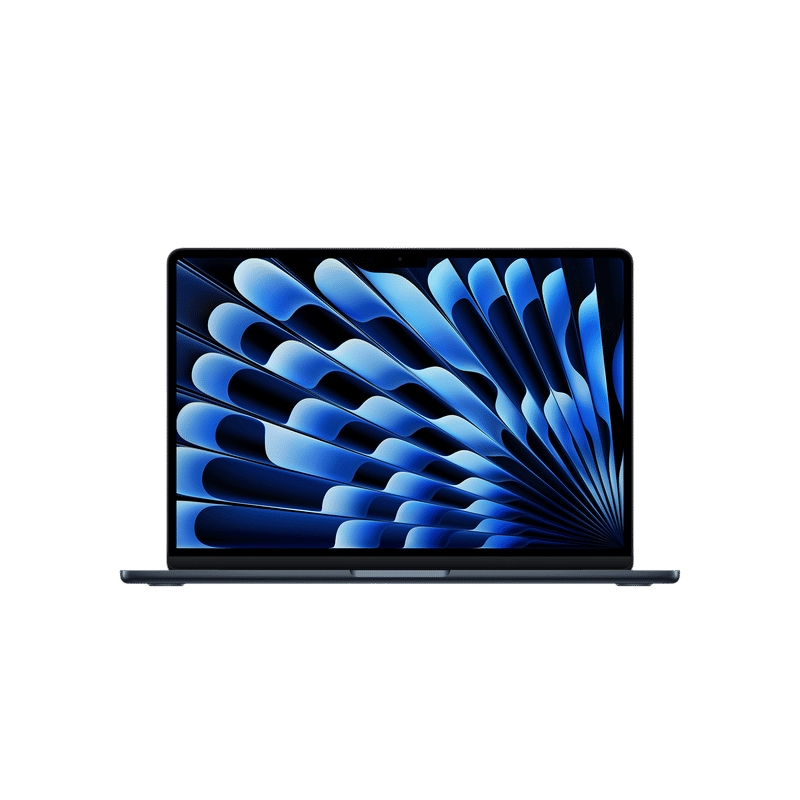
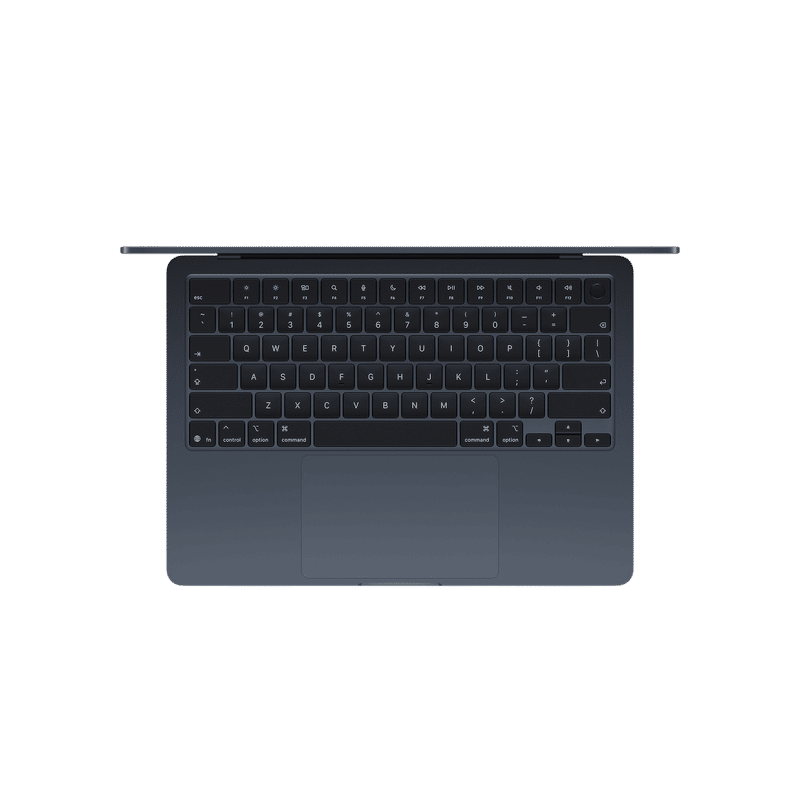
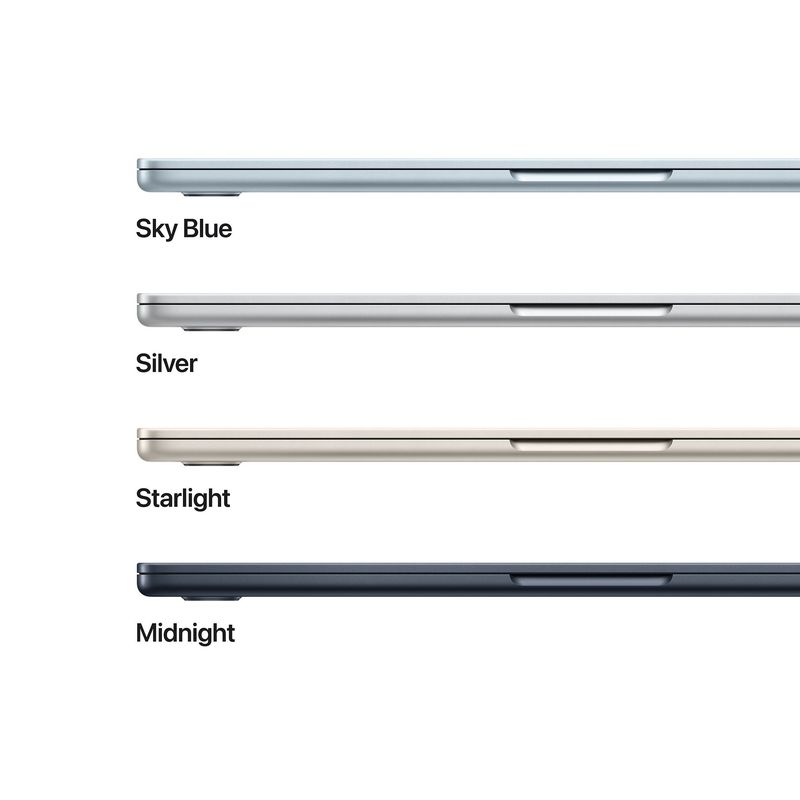
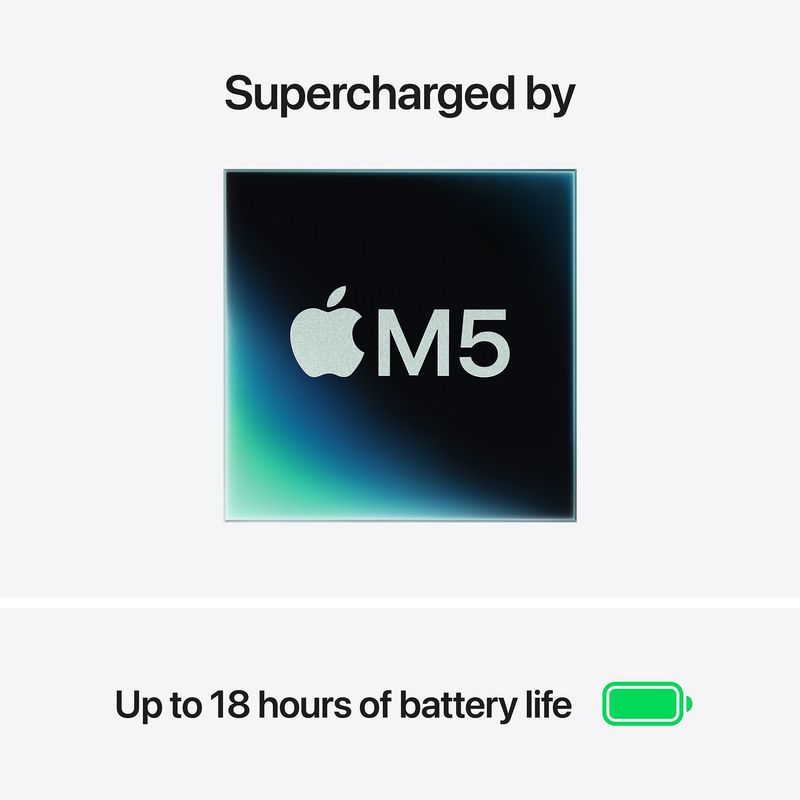
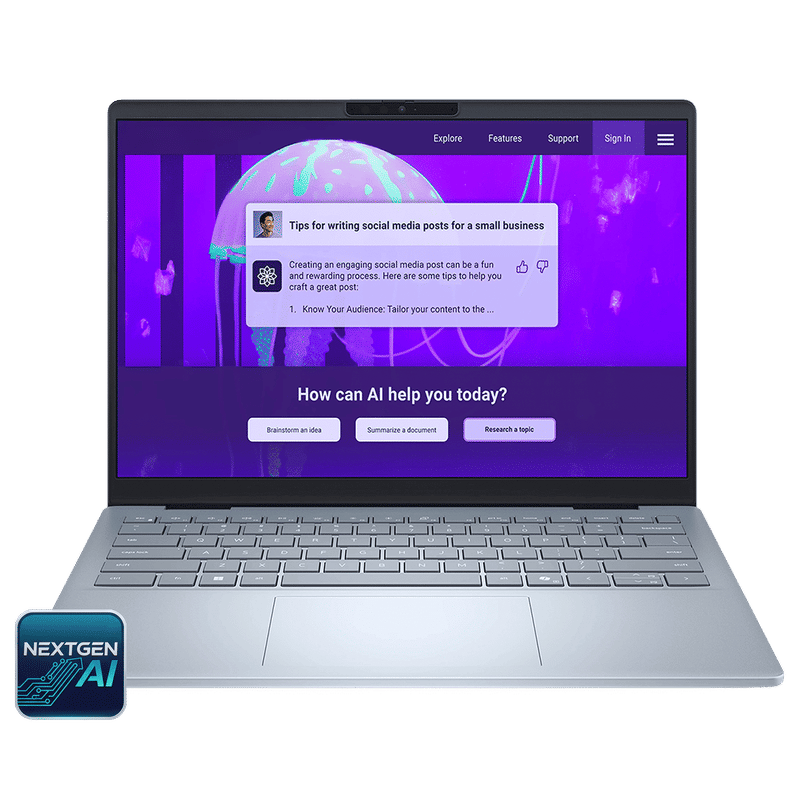
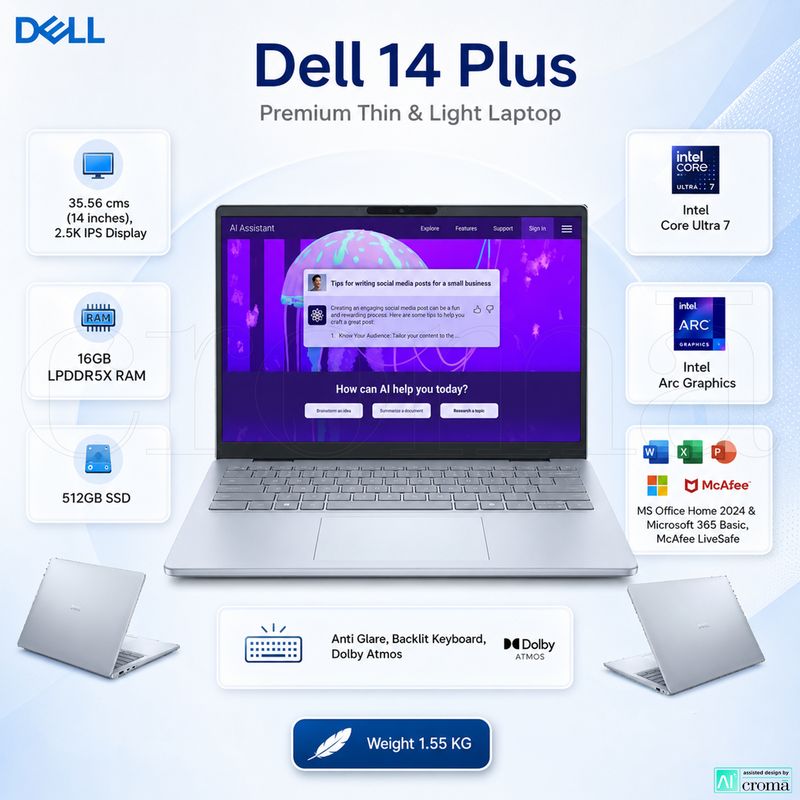
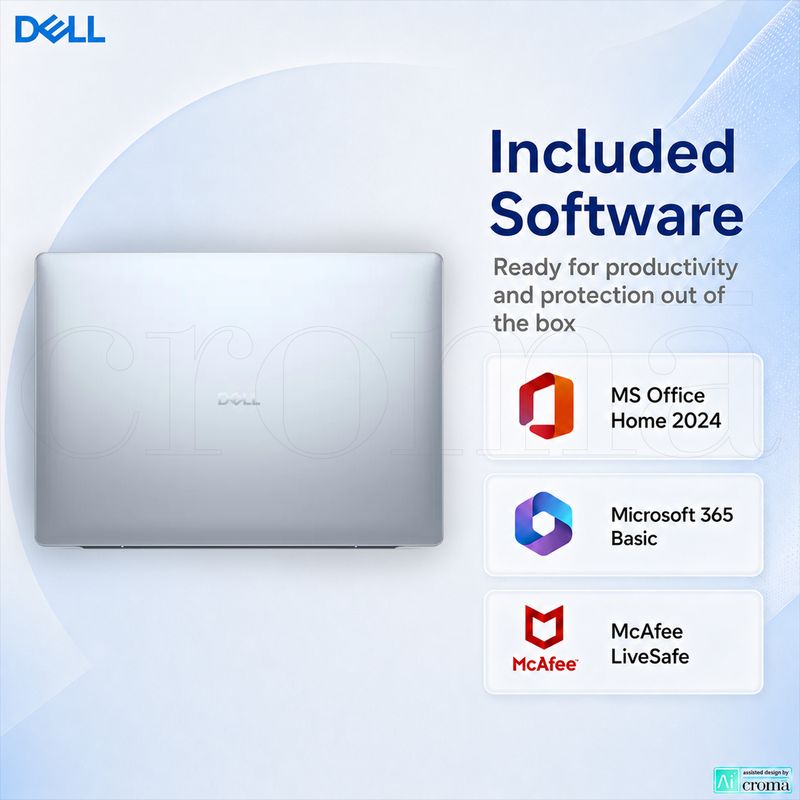
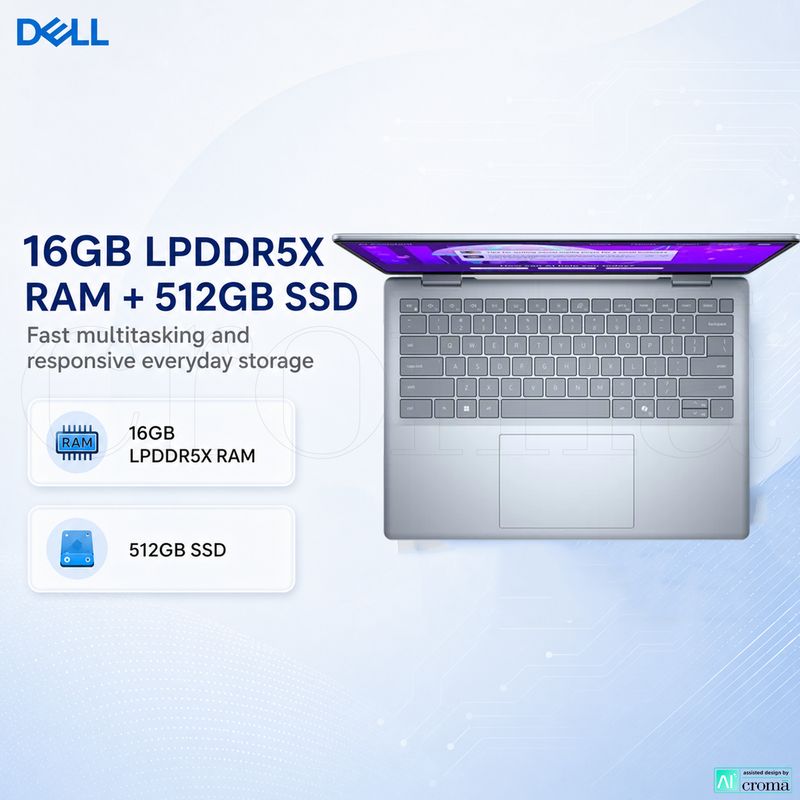
Official product photos from the store listings.
Winner for…
500 nits and P3 wide colour vs 300 nits and sRGB on the Dell.
1.23 kg and 11.3 mm thick vs 1.55 kg and 16.95 mm.
12MP Center Stage camera vs a 1080p webcam.
₹99,990 vs ₹1,37,990 at Croma today, about ₹38,000 less.
HDMI 2.1 and USB-A built in, plus Thunderbolt 4 and USB-C.
64Wh vs 53.8Wh, and Office Home 2024 comes in the box.
Apple MacBook Air 13.6-inch (M5, 16GB RAM, 512GB SSD, Midnight)
Portability, display & creative work4 photos · swipe →
- 1230g
- 53.8 Wh battery
- 13.6" screen
- 12-month warranty
- Model (checked)
- MDHE4HN/A, Midnight, 2026 (Croma item 324343)
- Chip
- Apple M5: 10-core CPU (4 super + 6 efficiency cores), 8-core GPU, 16-core Neural Engine, 153GB/s memory bandwidth
- Memory / storage
- 16GB unified memory, 512GB SSD (both fixed at purchase)
- Display
- 13.6" Liquid Retina IPS, 2560×1664, 224 ppi, 500 nits, P3 wide colour, True Tone
- Battery
- 53.8Wh; up to 18 hrs video streaming, 15 hrs wireless web (Apple)
- Charging
- MagSafe 3; 30W USB-C adapter in the box; fast charge with a 70W+ adapter
- Ports
- 2× Thunderbolt 4 (USB-C), MagSafe 3, 3.5mm headphone jack; up to 2 external displays
- Wireless
- Wi-Fi 7 (Apple N1 chip), Bluetooth 6
- Camera / audio
- 12MP Center Stage camera with Desk View; four speakers with Spatial Audio, Dolby Atmos playback
- Security
- Touch ID
- Size / weight
- 30.41 × 21.5 × 1.13 cm; 1.23 kg
- Software
- macOS Tahoe
- Warranty
- 1 year limited, carry-in (Croma listing)
The MacBook Air M5 is the more premium machine of the two, and the ₹38,000 extra buys you three things you will notice every day. First, the screen: a 13.6-inch 2560×1664 Liquid Retina panel rated at 500 nits with P3 wide colour, against 300 nits and sRGB on the Dell. Text looks sharper and the panel is easier to use near a window. Second, weight: at 1.23 kg and 1.13 cm thick it is about 320 grams lighter than the Dell, which you feel in a college bag every single day. Third, the M5 chip itself, with a 10-core CPU, an 8-core GPU with hardware ray tracing and a 16-core Neural Engine.
Apple rates the battery at up to 18 hours of video streaming and 15 hours of wireless web from a 53.8Wh cell. It is a fanless design, so it stays silent under any load. The trade-off is that very long exports can slow down a little once the chip heats up, which matters only for heavy video work. The 12MP Center Stage camera is a clear step up for video calls, and the four-speaker system supports Spatial Audio.
The compromises are real, though. You get only two Thunderbolt 4 (USB-C) ports plus MagSafe and a headphone jack, so HDMI projectors and USB-A pen drives need an adapter. Memory and storage can never be upgraded, so 512GB is what you live with. And macOS doesn’t run some Windows-only apps that Indian offices and colleges still use, such as certain accounting or exam software. Check your must-have apps before you pay.
What we like
- 500-nit 2560×1664 display with P3 colour
- Lightest here at 1.23 kg; silent fanless design
- M5 chip with 8-core GPU and 16-core Neural Engine
- 12MP Center Stage camera
What could be better
- About ₹38,000 more at Croma today
- No HDMI or USB-A; only two USB-C ports
- RAM and SSD can’t be upgraded
Who should buy it: iPhone users, students and creators who carry their laptop all day, edit photos or video, and don’t depend on Windows-only software.
Dell 14 Plus DB14250 (Intel Core Ultra 7 256V, 16GB RAM, 512GB SSD, Ice Blue)
Windows apps, ports & value4 photos · swipe →
- 1550g
- 64 Wh battery
- 14" screen
- 12-month warranty
- Model (checked)
- DB14250, Ice Blue (Croma item 323787)
- Processor
- Intel Core Ultra 7 256V: 8 cores, up to 4.8 GHz, 12MB cache; Copilot+ PC
- Graphics
- Intel Arc (integrated)
- Memory / storage
- 16GB LPDDR5X onboard (8533 MT/s, Dell); 512GB PCIe Gen4 NVMe M.2 SSD
- Display
- 14" 2.5K 16:10 IPS (WVA), anti-glare, 300 nits, 100% sRGB, ComfortView Plus; 60Hz (Croma)
- Battery
- 64Wh 4-cell (Dell); Croma lists up to 22 hrs
- Charging
- 65W USB-C adapter
- Ports
- 1× Thunderbolt 4 (DP 2.1, PD), 1× USB-C 3.2 Gen 2 (DP 1.4, PD), 1× USB-A 3.2 Gen 1, HDMI 2.1, audio jack (Dell)
- Wireless
- Intel Wi-Fi 7 BE201, Bluetooth 5.4
- Camera / audio
- 1080p 30fps camera, dual mics; dual speakers with Waves MaxxAudio and Dolby Atmos
- Security
- Fingerprint reader in power button
- Size / weight
- 314 × 226.15 × 16.95 mm; 1.55 kg (Dell)
- Software
- Windows 11 Home, MS Office Home 2024 + Microsoft 365 Basic, McAfee LiveSafe (Croma)
- Warranty
- 12 months carry-in (Croma listing)
The Dell 14 Plus is the value pick, and it is not a cut-down laptop. Inside is Intel’s Core Ultra 7 256V, an 8-core chip with Intel Arc graphics, 16GB of fast LPDDR5X memory and a built-in NPU that qualifies it as a Copilot+ PC. Croma lists Windows features like Recall, Live Captions, Cocreator and Windows Studio Effects. For Office work, coding, browsing with 30 tabs and light photo editing, it has plenty in hand.
Where the Dell clearly wins is everyday practicality. Dell’s spec sheet lists a Thunderbolt 4 port, a second USB-C port, a full-size USB-A port, HDMI 2.1 and an audio jack. That means you can plug into a classroom projector, a monitor and a pen drive without any dongle. The battery is bigger too, 64Wh against 53.8Wh on the MacBook, and Croma lists up to 22 hours. The 14-inch 2.5K screen is also slightly larger, with a 16:10 shape and an anti-glare finish.
The compromises: at 1.55 kg and 16.95 mm it is heavier and thicker than the MacBook, the palmrest and bezel are plastic (the lid and base are aluminium), and the display is rated at 300 nits, so it is fine indoors but not as bright. Croma lists 60Hz. One small listing issue: Croma’s title and display notes say 2.5K, but its resolution field says 1920×1200, so check the product page before ordering if resolution matters to you. Office Home 2024 in the box is worth real money if you would otherwise buy it.
What we like
- About ₹38,000 cheaper at Croma today
- HDMI 2.1, USB-A, Thunderbolt 4 and USB-C
- Bigger 64Wh battery
- Office Home 2024 included
What could be better
- Heavier at 1.55 kg
- 300-nit screen, 60Hz on the Croma listing
- Carry-in warranty, plastic palmrest
Who should buy it: Students and office users who need Windows-only software, plug into projectors and pen drives often, and want Office included while saving about ₹38,000.
Verdict: MacBook Air M5 or Dell 14 Plus?
Get the MacBook Air M5 if you carry your laptop all day and care about the screen. It is lighter, slimmer and brighter, the M5 chip with its 8-core GPU is the stronger choice for Lightroom, Final Cut or DaVinci Resolve style work, and it fits neatly with an iPhone through AirDrop, iPhone Mirroring and Universal Clipboard. Just make sure every app you need runs on macOS, and buy enough storage up front because you can’t add it later.
Get the Dell 14 Plus if you want the most practical laptop for the money. At ₹99,990 it saves about ₹38,000, runs every Windows app your office or college uses, plugs into HDMI projectors and USB-A drives directly, has the bigger 64Wh battery and comes with Office Home 2024. For most students and office users who mainly type, browse and present, that is the smarter buy. Spend part of the savings on a good bag and mouse.
How we compared these two
We only compare laptops when we can open a live listing at a partner store and read the price in the same run. For this page that meant Croma item 324343 (MacBook Air 13.6-inch, M5, 16GB, 512GB, Midnight, model MDHE4HN/A) and Croma item 323787 (Dell 14 Plus DB14250, Core Ultra 7 256V, 16GB, 512GB, Ice Blue). Both showed a price and a buy button this morning. One older Croma page for the same MacBook configuration is marked discontinued, so we didn’t use it.
Specs come from Apple India’s official MacBook Air tech specs and Dell’s official spec sheet for the 14 Plus DB14250, cross-checked with Croma. Where the two disagree we went with the brand. For example, Croma lists the Dell battery as 3-cell while Dell lists a 4-cell 64Wh pack. We don’t add star ratings, benchmark numbers or “we tested” claims. Bank offers and stock change during the day, so always check the final price on the store page.
Performance: Apple M5 vs Core Ultra 7 256V
Both chips are built for thin laptops and long battery life rather than raw gaming power. Apple’s M5 has a 10-core CPU (four super cores and six efficiency cores), an 8-core GPU with hardware ray tracing and Neural Accelerators, a 16-core Neural Engine and 153GB/s of memory bandwidth. Intel’s Core Ultra 7 256V has 8 cores up to 4.8 GHz, 12MB cache, Intel Arc graphics and an NPU for Windows Copilot+ features. Both use 16GB of memory on the chip package or board.
What that means day to day
For Word, Excel, Google Docs, Zoom, coding in VS Code and dozens of browser tabs, both will feel quick. The gap shows up in sustained creative work. Apple’s GPU and media engine (hardware ProRes and AV1 decode) give the MacBook an edge for photo and video editing, while the Dell’s fan helps it hold speed during long tasks. Neither is a gaming laptop. For that, see our best gaming laptops under ₹1 lakh.
macOS or Windows?
This matters more than the chip. Some accounting, engineering, exam and government portal tools in India run only on Windows, and Excel power users often prefer the Windows version. If you rely on any of these, the Dell is the safer pick no matter what the specs say. If you mostly use browser apps, Microsoft 365, Adobe apps or Apple’s own Pages, Numbers and Keynote, macOS works well, and it ties in nicely with an iPhone.
Display, build and portability
The MacBook’s 13.6-inch Liquid Retina panel has a 2560×1664 resolution at 224 pixels per inch, 500 nits brightness, P3 wide colour and True Tone. The Dell’s 14-inch 2.5K panel is a little bigger, with a 16:10 shape, an anti-glare coating, 100% sRGB and 300 nits. Indoors both are sharp. Near a bright window, or for colour-accurate photo work, the MacBook is the better screen. Neither listing gives a high refresh rate, and Croma lists 60Hz for the Dell.
Weight you will feel
The MacBook weighs 1.23 kg and is 1.13 cm thick, with an all-aluminium body. The Dell is 1.55 kg and 16.95 mm thick, with an aluminium lid and base and a plastic palmrest and bezel. If you walk to college or take the metro every day, 320 grams makes a real difference. Pair either with one of our best laptop backpacks under ₹1,500.
Battery, charging and ports
On paper the Dell has the bigger battery: 64Wh against 53.8Wh. Apple claims up to 18 hours of video streaming and 15 hours of web browsing. Croma lists up to 22 hours for the Dell. These are brand and store figures measured in different ways, so treat them as “a full working day” for both, not a head-to-head result. The MacBook ships with a 30W adapter and a MagSafe 3 cable and can fast-charge with a 70W or bigger USB-C adapter. The Dell ships with a 65W USB-C adapter.
Ports: the biggest practical difference
The MacBook has two Thunderbolt 4 (USB-C) ports, MagSafe 3 and a headphone jack, and supports up to two external displays. The Dell adds what many Indian classrooms and offices still need: a full-size USB-A port and HDMI 2.1, next to one Thunderbolt 4 port, a second USB-C port and an audio jack. With the MacBook, budget for a USB-C hub if you present on projectors or use pen drives often.
Software, Office and the real cost
The Croma listing for the Dell includes MS Office Home 2024 with Microsoft 365 Basic and McAfee LiveSafe. The MacBook comes with Apple’s free Pages, Numbers and Keynote, plus macOS Tahoe and Apple Intelligence features, but not Microsoft Office. If you need Word and Excel files every day, that bundle narrows the real gap a little more.
Both come with a one-year carry-in warranty on Croma. Memory is fixed on both, so 16GB is what you keep. Storage is fixed on the MacBook. Dell’s service manual for the DB14250 includes steps for removing the M.2 2230 SSD, so storage can be swapped later by a service centre or a confident user. On the MacBook, if you think you will need more than 512GB, pick the bigger storage version at purchase.
Frequently asked questions
Is the MacBook Air M5 better than the Dell 14 Plus?
It depends on what you need. The MacBook Air M5 has the brighter 500-nit screen, lower 1.23 kg weight and a stronger GPU for creative work. The Dell 14 Plus costs about ₹38,000 less at Croma today, runs Windows-only software, has HDMI and USB-A ports, a bigger 64Wh battery and Office Home 2024 in the box.
Which has better battery life, MacBook Air M5 or Dell 14 Plus?
Apple claims up to 18 hours of video streaming from a 53.8Wh battery. Dell fits a larger 64Wh battery and Croma lists up to 22 hours. The figures are measured differently, so expect a full working day from both rather than a clear winner.
Does the MacBook Air M5 have an HDMI port?
No. It has two Thunderbolt 4 (USB-C) ports, MagSafe 3 and a 3.5mm headphone jack. You need a USB-C to HDMI adapter or hub for projectors and TVs. The Dell 14 Plus has HDMI 2.1 and USB-A built in.
Does the Dell 14 Plus come with MS Office?
The Croma listing for the Dell 14 Plus DB14250 (Core Ultra 7 256V, 16GB, 512GB) includes MS Office Home 2024 with Microsoft 365 Basic and McAfee LiveSafe. The MacBook Air comes with Apple’s Pages, Numbers and Keynote but not Microsoft Office.
Can I upgrade the RAM or SSD later?
RAM is fixed on both laptops at 16GB. The MacBook’s 512GB storage is also fixed. Dell’s service manual for the 14 Plus DB14250 lists a removable M.2 2230 SSD, so storage on the Dell can be replaced later.
Which is lighter, MacBook Air M5 or Dell 14 Plus?
The MacBook Air M5 weighs 1.23 kg and is 1.13 cm thick. The Dell 14 Plus weighs 1.55 kg and is 16.95 mm thick, so the MacBook is about 320 grams lighter.
Prices checked 29 Nov 2026, 11:08 am IST. We read each price on the store’s own product page and re-check them every day. Prices, bank offers and stock change quickly, so the store page at checkout is final. Where we couldn’t verify a price recently, we show “Check price” instead of a number. Specs, charts and score bars use the brand’s official figures or the store listing; photos are the official product images from the store.
How we earn
If you buy after using Buy Now, the store may pay GrabDeals a commission. You pay the same price. As an Amazon Associate I earn from qualifying purchases. It never decides what we recommend or how we rank products. How we earn · How we pick products
Keep exploring
Shop laptops · Shop Croma · Coupons today · Compare credit cards · All buying guides