Best Gaming Laptops Under ₹1 Lakh in India (November 2026): 6 Picks
Six RTX gaming laptops from about ₹77,000 to ₹98,000 with live Croma prices. Specs from listings and brand sheets; we haven’t tested them.

Looking for the best gaming laptop under 1 lakh in India? In late 2026 this is the budget where you can finally get a dedicated NVIDIA RTX graphics chip, a 144Hz or faster screen and 16GB of RAM without stretching to ₹1.2 lakh or more. Laptop prices have climbed this year, so many models that used to sit around ₹70,000 now cost much more, which is why this list goes up to ₹1 lakh.
We went through every gaming laptop Croma listed and kept six that were in stock at or below ₹1,00,000 when we read their live prices for this guide, from about ₹77,000 to ₹98,000. Specs come from the Croma listing and, where we could find them, the official Acer, ASUS, HP and NVIDIA spec pages; where a listing disagreed with the brand, we went with the brand and say so. We haven’t benchmarked these laptops, so you won’t find made-up FPS numbers here, just what each one offers on paper and who it suits.
Short on time? Start with the quick picks table. You can also browse all live laptop prices, see current offers on our Croma page, or check coupon codes before you pay. Don’t need a graphics card? Our best laptops under ₹70,000 guide covers everyday and work laptops.
Quick picks
Prices are what Croma showed at our last check. Tap a laptop for specs, pros and cons.
If you buy after using Buy Now, the store may pay GrabDeals a commission. You pay the same price. How we earn
 1
- 6GB VRAM
- 16GB RAM
- 165Hz display
 2
- 6GB VRAM
- 16GB RAM
- 144Hz display
 3
- 4GB VRAM
- 16GB RAM
- 144Hz display
 4
- 6GB VRAM
- 16GB RAM
- 165Hz display
 5
- 4GB VRAM
- 16GB RAM
- 144Hz display
 6
- 6GB VRAM
- 12GB RAM
- 144Hz display
At a glance: prices and key specs
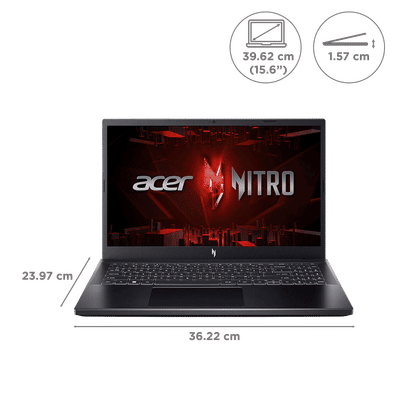
1Acer Nitro V15 ANV15-52 (Core 5 210H, RTX 4050, 16GB, 512GB)
Best overall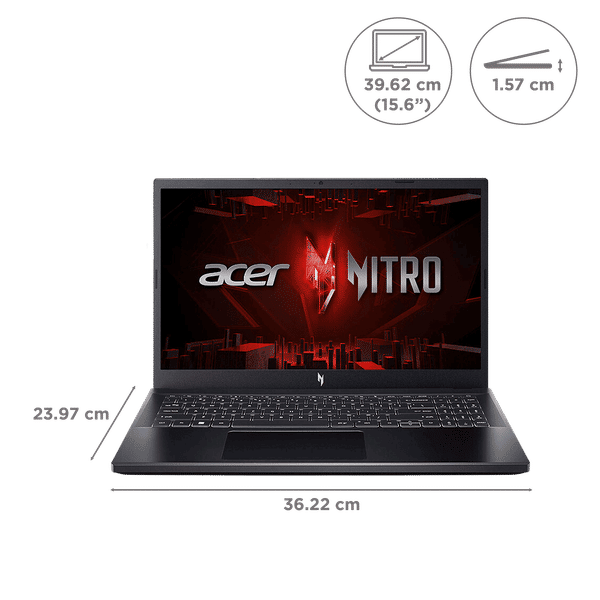

4 photos · swipe →
- 6GB VRAM
- 16GB RAM
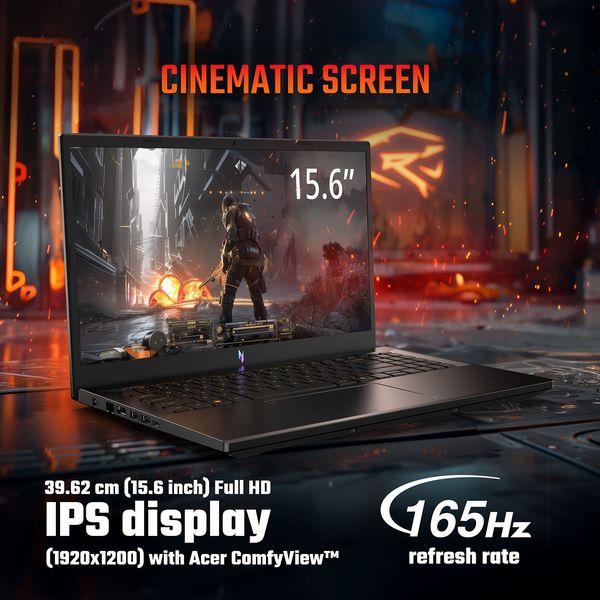
- 165Hz display
- 57 Wh battery
- 2.1 kg
- 12-month warranty
- Processor
- Intel Core 5 210H (8 cores / 12 threads, up to 4.8 GHz)
- Graphics
- NVIDIA GeForce RTX 4050 Laptop GPU, 6GB GDDR6, up to 75W (Acer spec)
- RAM / Storage
- 16GB DDR5 (up to 32GB per Acer); 512GB PCIe 4.0 NVMe SSD
- Display
- 15.6" Full HD 1920×1080 IPS, 165Hz
- Battery
- 57 Wh; 135W adapter (Acer spec)
- Weight
- 2.11 kg
- Connectivity
- Wi-Fi 6, Bluetooth, USB-C, HDMI, Gigabit LAN
- Software
- Windows 11 + MS Office (Croma listing)
- Warranty
- 1 year carry-in (Croma listing)
This is the only laptop on our list with an RTX 40-series graphics chip, and at Croma it was priced lower than several RTX 3050 machines. The RTX 4050 Laptop GPU has 6GB of GDDR6 memory and supports DLSS 3 with Frame Generation (per NVIDIA), which matters in newer games that offer it. Acer rates this configuration at up to 75W of graphics power. That is not the highest wattage you can get on an RTX 4050, but for this budget it is the most modern GPU we could find in stock.
The Core 5 210H is an 8-core, 12-thread H-series chip that boosts up to 4.8 GHz, enough for gaming plus streaming or a few browser tabs in the background. You get 16GB of DDR5, a 165Hz Full HD IPS panel and a 57 Wh battery, which is one of the bigger batteries in this group. One thing to note: the Croma listing says ‘8GB graphics’, but NVIDIA and Acer both list the RTX 4050 Laptop GPU with 6GB, so we have gone with 6GB.
What we like
- Newest GPU here: RTX 4050 with DLSS 3
- 165Hz screen
- 57 Wh battery, DDR5 RAM
What could be better
- RTX 4050 runs at up to 75W, not full power
- Carry-in warranty only
Who should buy it: Gamers who want the most graphics muscle under ₹1 lakh and play newer AAA titles that support DLSS.
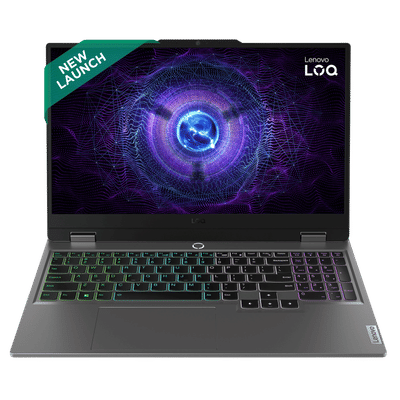
2Lenovo LOQ 15IAX9 (Core i5-12450HX, RTX 3050 6GB, 16GB, 512GB)
Best for long sessions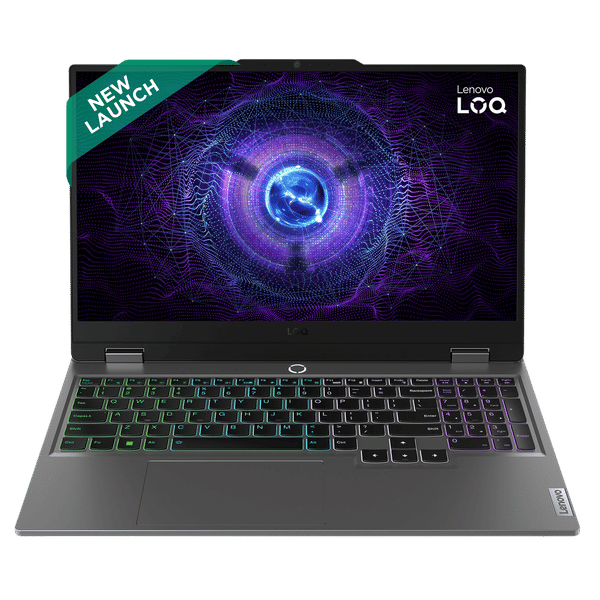
4 photos · swipe →
- 6GB VRAM
- 16GB RAM
- 144Hz display
- 60 Wh battery
- 2.4 kg
- 12-month warranty
- Processor
- Intel Core i5-12450HX (8 cores / 12 threads, up to 4.4 GHz)
- Graphics
- NVIDIA GeForce RTX 3050, 6GB GDDR6
- RAM / Storage
- 16GB DDR5-4800, 2 slots; 512GB PCIe 4.0 NVMe SSD
- Display
- 15.6" Full HD 1920×1080 IPS, 144Hz
- Battery
- 60 Wh; 170W adapter (Croma listing)
- Weight
- 2.38 kg
- Connectivity
- Wi-Fi 6, Bluetooth 5.2, USB-C, USB 3.2, HDMI
- Software
- Windows 11 Home + MS Office Home 2024
- Warranty
- 1 year carry-in (Croma listing)
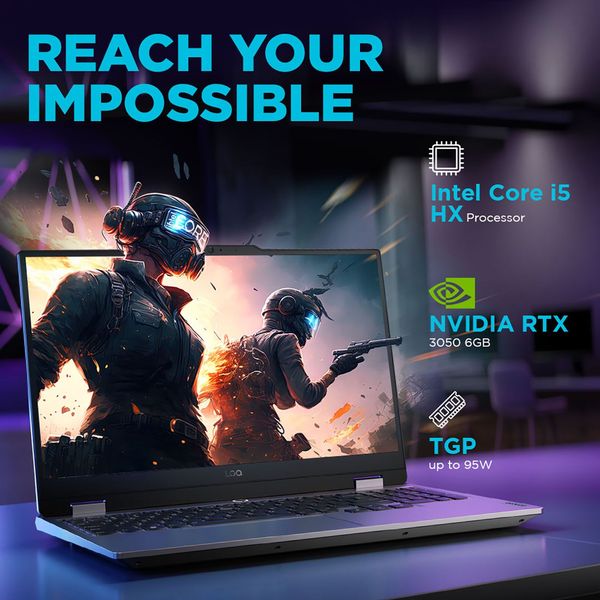
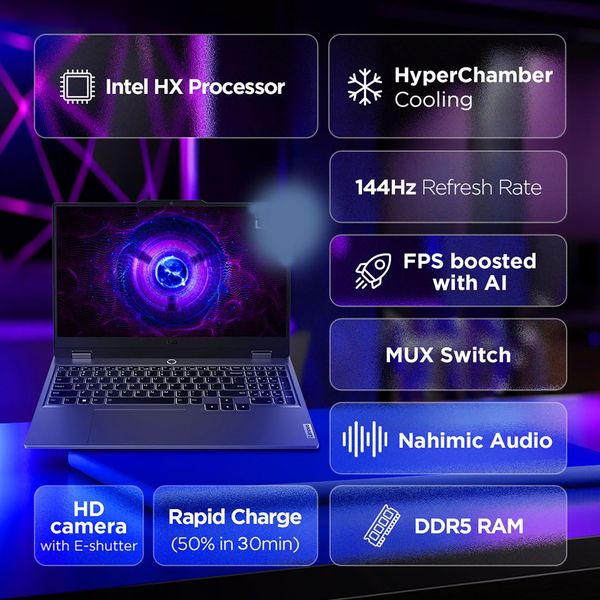
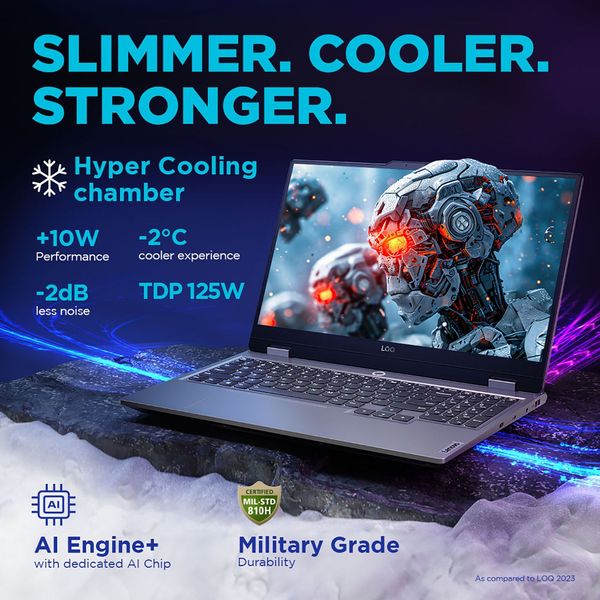
Lenovo’s LOQ line is its budget gaming range, and this 15IAX9 uses an HX-class processor: the Core i5-12450HX has 8 cores and 12 threads and is built for bigger, better-cooled laptops. It is paired with the 6GB version of the RTX 3050, which gives a little more video memory headroom than the 4GB RTX 3050 found in the ASUS and MSI on this list.
The 60 Wh battery is the largest we could confirm in this group, and Lenovo’s own rating on the Croma listing is 6.9 hours of local 1080p video playback (MobileMark 25: 5.2 hours). Expect far less while gaming, as with every laptop here. RAM is 16GB DDR5 in two slots, so you can upgrade later. The trade-off is weight: at 2.38 kg it is the heaviest pick, and the processor is a 12th-gen part, a couple of generations older than the Acer’s Core 5 210H.
What we like
- Biggest battery here (60 Wh)
- 6GB RTX 3050
- Two RAM slots for upgrades
What could be better
- Heaviest pick at 2.38 kg
- Older 12th-gen CPU
Who should buy it: Players who game plugged in at a desk for long sessions and want room to upgrade RAM later.
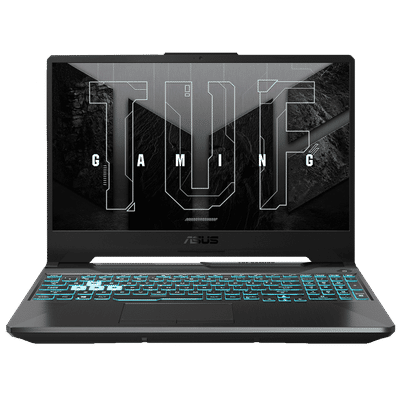
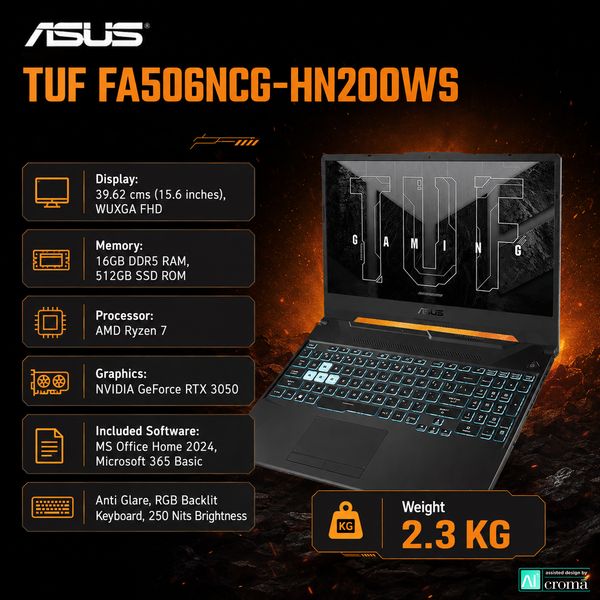
3ASUS TUF Gaming A15 FA506NCG-HN200WS (Ryzen 7 7445HS, RTX 3050, 16GB, 512GB)
Best under ₹80,000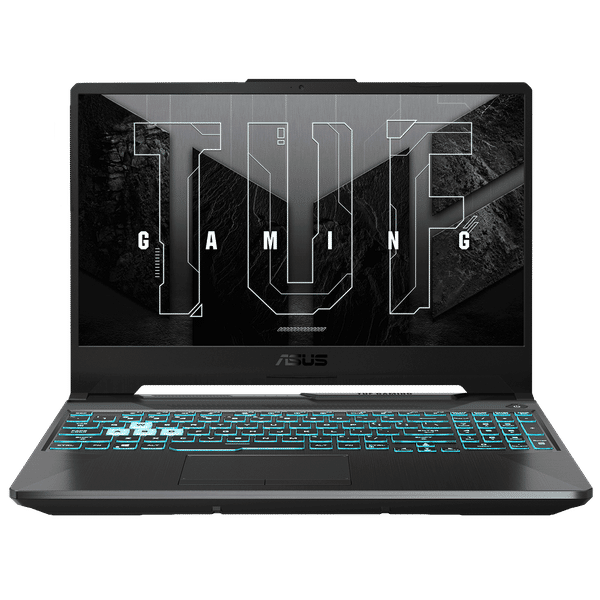
4 photos · swipe →
- 4GB VRAM
- 16GB RAM
- 144Hz display
- 48 Wh battery
- 2.3 kg
- 12-month warranty
- Processor
- AMD Ryzen 7 7445HS (6 cores / 12 threads, up to 4.7 GHz)
- Graphics
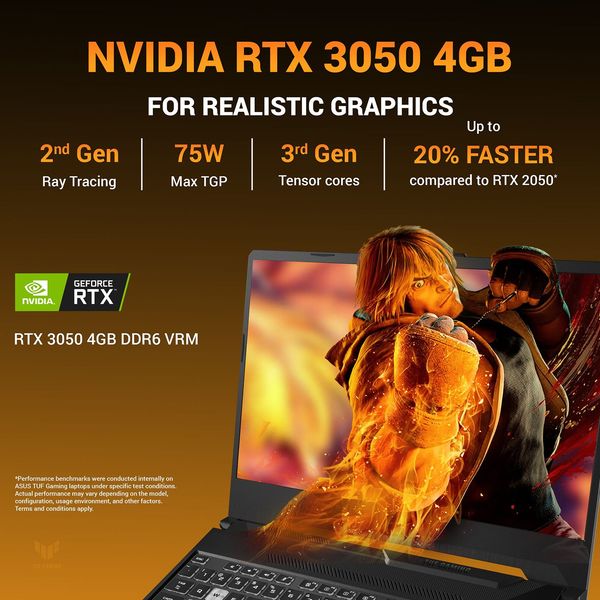
- NVIDIA GeForce RTX 3050 Laptop GPU, 4GB GDDR6, 60W (75W with Dynamic Boost)
- RAM / Storage
- 16GB DDR5-5600 SO-DIMM, expandable to 64GB (2 slots); 512GB PCIe 4.0 SSD
- Display
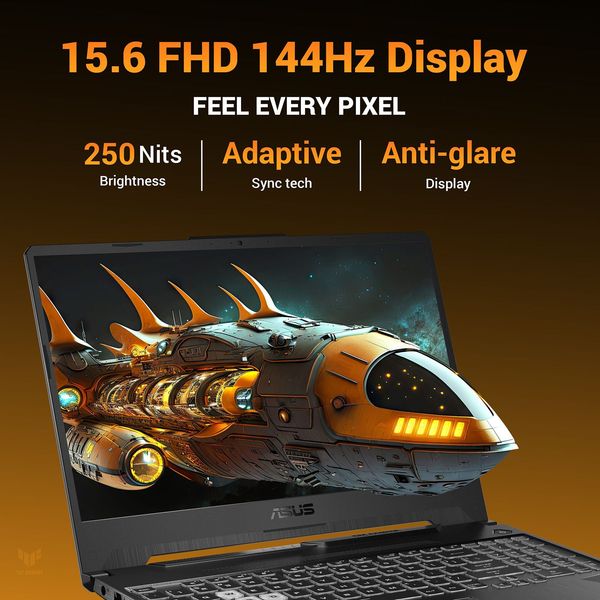
- 15.6" FHD 1920×1080 IPS-level, 144Hz, 250 nits, 62.5% sRGB, Adaptive-Sync
- Battery
- 48 Wh, 3-cell
- Weight
- 2.3 kg
- Ports
- 3× USB-A, 1× USB-C with DisplayPort, HDMI 2.1, RJ45 LAN
- Software
- Windows 11 Home + Office Home 2024 + Microsoft 365 Basic (1 year)
- Warranty
- 1 year (Croma listing)
The TUF A15 is the pick if you want to stay under ₹80,000. ASUS’s India store lists this exact model (FA506NCG-HN200WS) with a Ryzen 7 7445HS (6 cores, 12 threads, up to 4.7 GHz) and the 4GB RTX 3050 running at 60W, or 75W with Dynamic Boost. For esports titles like Valorant, CS2 or Free Fire on PC, that is a sensible pairing with the 144Hz Full HD screen.
Where the TUF stands out is upgradability: two DDR5 SO-DIMM slots that ASUS says take up to 64GB, plus two M.2 slots for storage, so you can add a second SSD when your game library grows. The screen is ASUS’s ‘value’ IPS-level panel at 250 nits and 62.5% sRGB, fine for gaming indoors but not for colour work. The 48 Wh battery is the smallest here, and the Croma listing and ASUS specs both put the weight at 2.3 kg. Croma’s title calls the panel WUXGA, but ASUS and Croma’s own spec table say 1920×1080, which is what we list.
What we like
- Under ₹80,000 at our check
- RAM up to 64GB, second M.2 slot
- Office Home 2024 included
What could be better
- Smallest battery (48 Wh)
- 4GB RTX 3050, 250-nit screen
Who should buy it: Students and esports players who want a Ryzen 7 gaming laptop under ₹80,000 and plan to upgrade RAM or storage later.
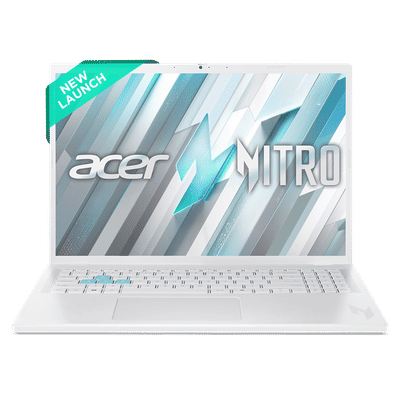
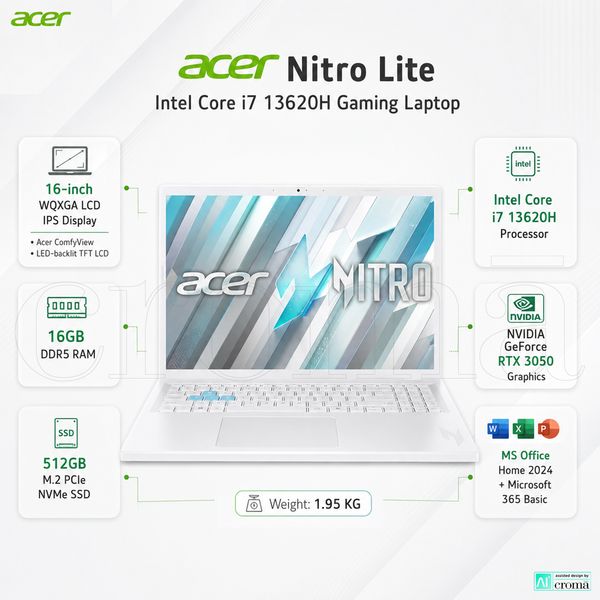
4Acer Nitro Lite 16 (Core i7-13620H, RTX 3050 6GB, 16GB, 512GB)
Cheapest + biggest screen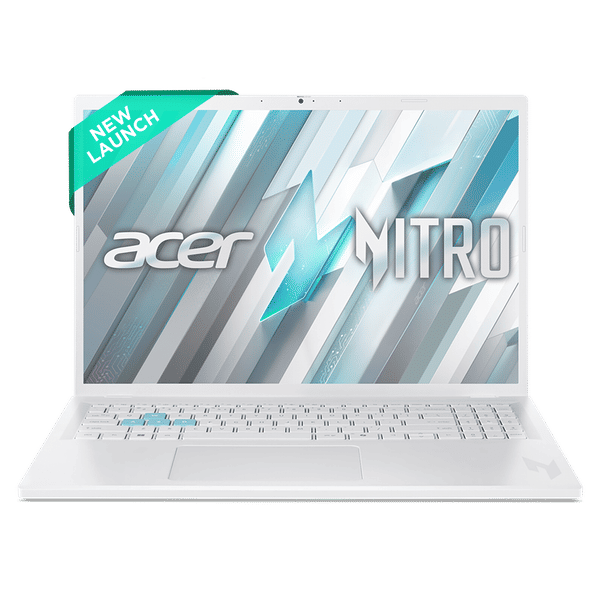
4 photos · swipe →
- 6GB VRAM
- 16GB RAM
- 165Hz display
- 53 Wh battery
- 1.9 kg
- 12-month warranty
- Processor
- Intel Core i7-13620H (10 cores, up to 4.9 GHz)
- Graphics
- NVIDIA GeForce RTX 3050, 6GB GDDR6
- RAM / Storage
- 16GB DDR5; 512GB M.2 PCIe NVMe SSD
- Display
- 16" 1920×1200 IPS, 165Hz
- Battery
- 53 Wh; 100W adapter (Croma listing)
- Weight
- 1.95 kg
- Connectivity
- Wi-Fi 6, Bluetooth 5.1, USB-C, USB 3.2
- Software
- Windows 11 Home + MS Office Home 2024
- Warranty
- 1 year carry-in (Croma listing)
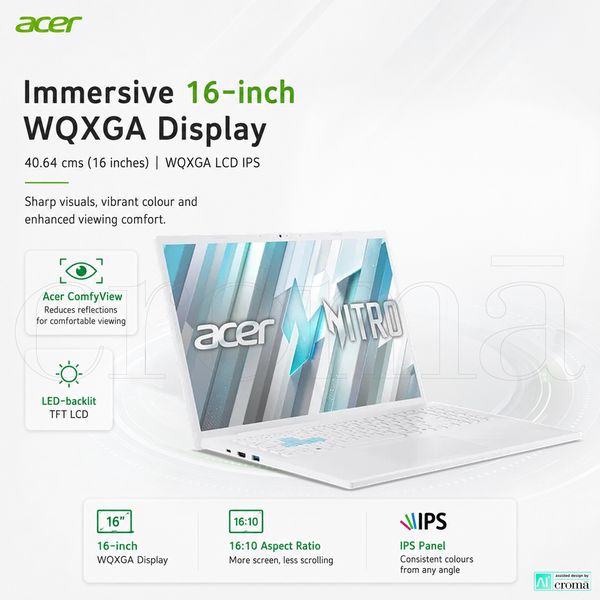
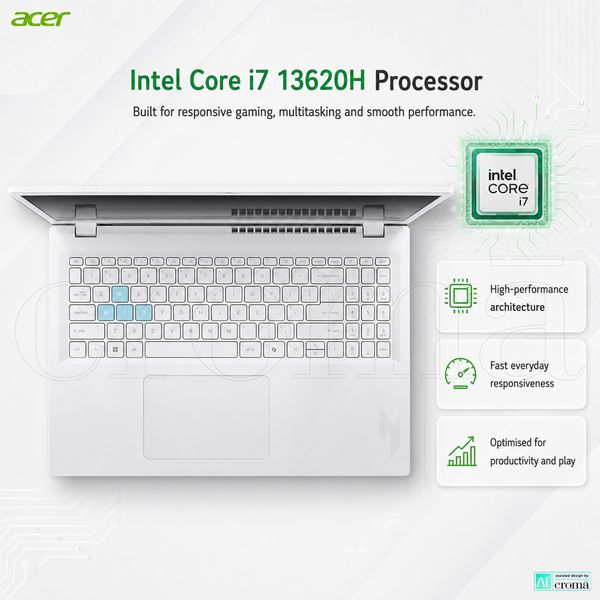
The Nitro Lite was the cheapest laptop on this list at our check, yet it has the biggest screen and a Core i7. The 16-inch panel is 1920×1200 (16:10) at 165Hz, so you get a taller view for work and a fast refresh rate for games. The Core i7-13620H has 10 cores and boosts to 4.9 GHz (Croma listing), and it is paired with the 6GB RTX 3050.
At 1.95 kg it is also one of the lighter machines here despite the larger screen, and the white finish makes it look less like a typical gaming laptop, handy if you carry it to college or office. The catch is the 100W adapter on the Croma listing: that is a small charger for a gaming laptop, which suggests the GPU runs at modest power, so don’t expect it to match the Nitro V15 in heavy games. Croma’s title says WQXGA, but its spec table says 1920×1200, which we have used.
What we like
- Cheapest pick at our check
- 16-inch 16:10 165Hz screen
- Core i7 + 6GB RTX 3050, 1.95 kg
What could be better
- Small 100W adapter hints at lower GPU power
- Carry-in warranty only
Who should buy it: Students who want one laptop for study, coding and casual-to-mid gaming, with a big screen that is still easy to carry.
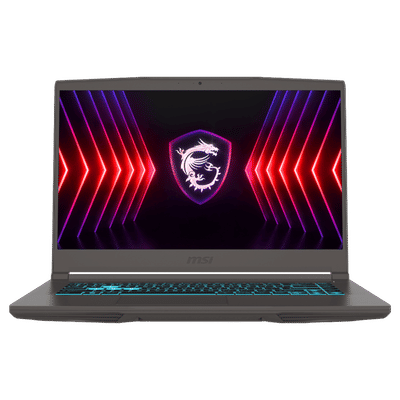
5MSI Thin 15 B13UC-2019IN (Core i7-13620H, RTX 3050, 16GB, 512GB)
Longest warranty, lightest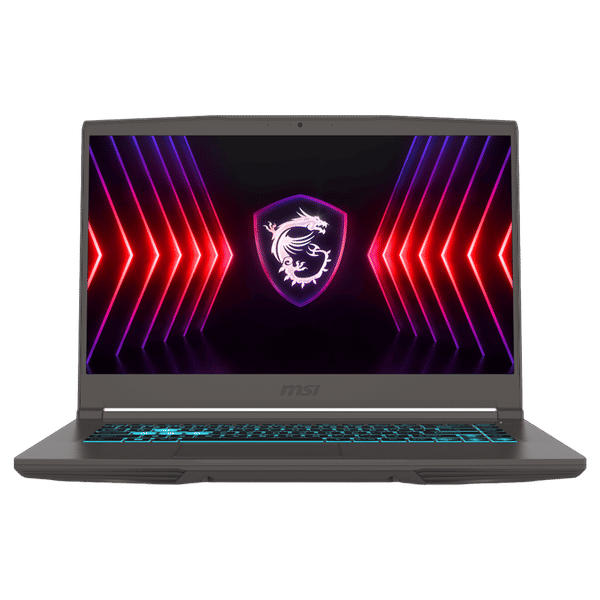

3 photos · swipe →
- 4GB VRAM
- 16GB RAM
- 144Hz display
- 52.4 Wh battery
- 1.9 kg
- 24-month warranty
- Processor
- Intel Core i7-13620H (up to 4.9 GHz)
- Graphics
- NVIDIA GeForce RTX 3050, 4GB GDDR6
- RAM / Storage
- 16GB DDR4-3200, 2 slots, up to 64GB; 512GB NVMe PCIe Gen 4 SSD
- Display
- 15.6" FHD 1920×1080 IPS-level, 144Hz
- Battery
- 52.4 Wh, 3-cell; 120W adapter
- Weight
- 1.86 kg
- Connectivity
- Wi-Fi 6, Bluetooth 5.3, USB-C, HDMI, Gigabit LAN
- Software
- Windows 11 Home + MS Office Home & Student 2021
- Warranty
- 2 years onsite (Croma listing)
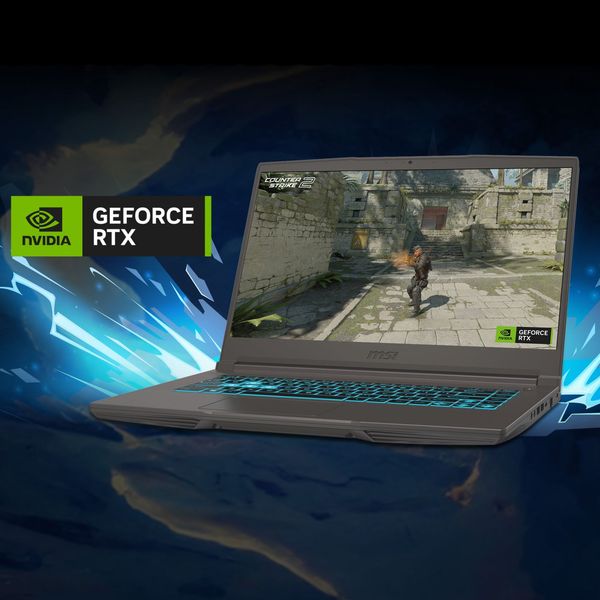
The MSI Thin 15 is the lightest laptop on this list at 1.86 kg, and it is the only one where Croma lists a 2-year onsite warranty instead of 1 year. For a gaming laptop that will run hot for hours, a second year of cover with a technician visiting you is worth real money.
Inside is the same Core i7-13620H as the Acer Nitro Lite, with a 4GB RTX 3050, 16GB of RAM in two slots (expandable to 64GB per the listing) and a Gen 4 NVMe SSD. The weak spot is the memory type: it uses older DDR4-3200, while most rivals here have DDR5. As the name suggests, it is also a thin chassis, which usually means less cooling headroom than bulkier gaming laptops. Choose it for portability and peace of mind rather than maximum frame rates.
What we like
- 2-year onsite warranty (per listing)
- Lightest here at 1.86 kg
- RAM upgradable to 64GB
What could be better
- Older DDR4 memory
- 4GB RTX 3050
Who should buy it: Anyone who carries a laptop daily and wants a gaming-capable machine with the longest service cover.
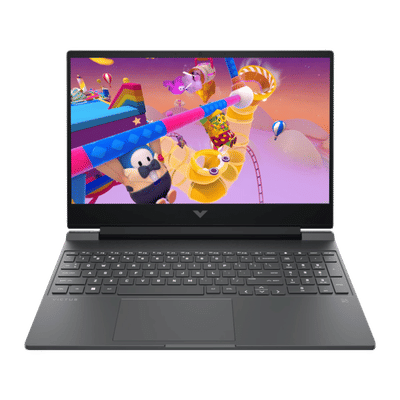
6HP Victus 15 (Ryzen 7 7445HS, RTX 3050 6GB, 12GB, 512GB)
Brightest screen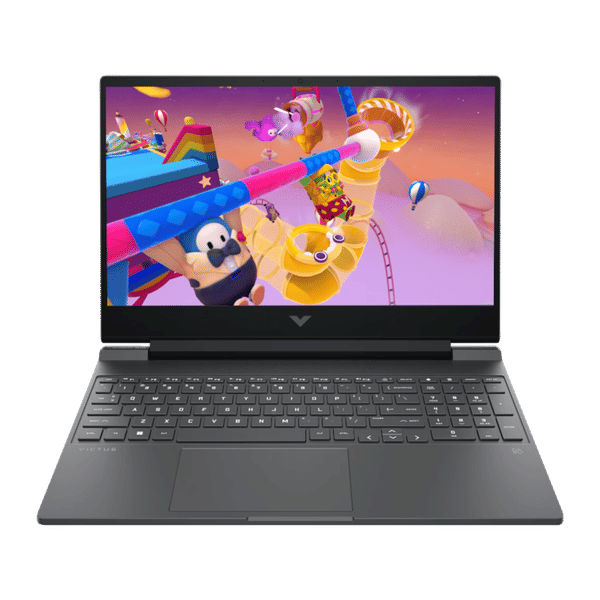
4 photos · swipe →
- 6GB VRAM
- 12GB RAM
- 144Hz display
- 52.5 Wh battery
- 2.3 kg
- 12-month warranty
- Processor
- AMD Ryzen 7 7445HS (6 cores / 12 threads, up to 4.7 GHz)
- Graphics
- NVIDIA GeForce RTX 3050 Laptop GPU, 6GB GDDR6
- RAM / Storage
- 12GB DDR5-5600 (single stick), 2 slots; 512GB PCIe Gen4 SSD
- Display
- 15.6" FHD 1920×1080 IPS, 144Hz, 300 nits, 62.5% sRGB (HP spec)
- Battery
- 52.5 Wh, 3-cell; 120W adapter; ~50% in 30 min fast charge (HP spec)
- Weight
- 2.29 kg
- Connectivity
- Wi-Fi 6, Bluetooth 5.4, USB-C, USB-A, HDMI 2.1, LAN
- Software
- Windows 11 Home + MS Office Home 2024
- Warranty
- 1 year carry-in (Croma listing)
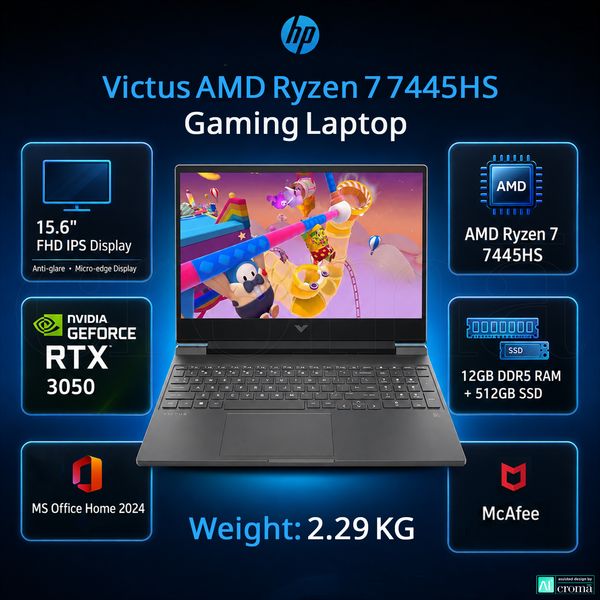
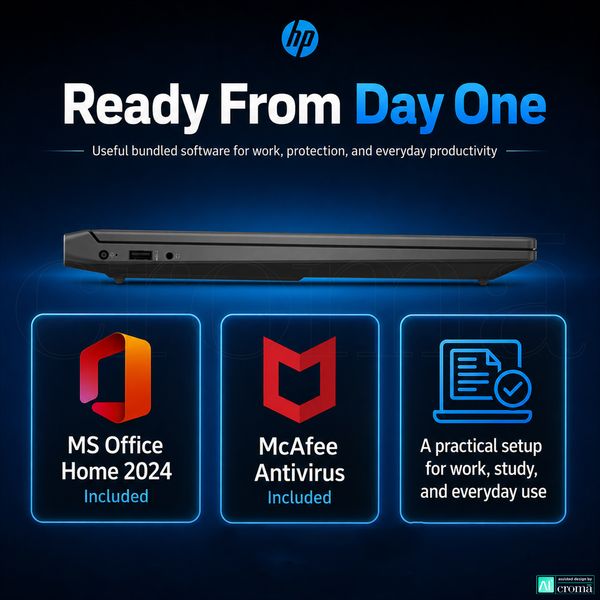
HP’s Victus 15 with the Ryzen 7 7445HS is the priciest pick here, just under ₹1 lakh at our check. What you get for the extra money: the 6GB RTX 3050, a 300-nit 144Hz IPS screen (brighter than the 250-nit ASUS), Bluetooth 5.4 and HP’s fast charge, which HP says gets the battery to about 50% in 30 minutes.
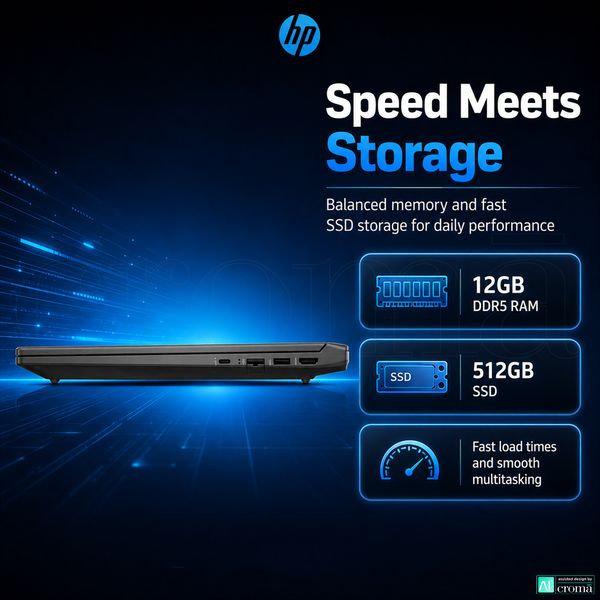
The odd one out is memory: it ships with 12GB as a single DDR5 stick. That works, but a single stick runs in single-channel mode, and we’d budget for adding a matching module to the free slot. HP’s spec sheet for this series lists a 3-cell 52.5 Wh battery and a 120W adapter; the Croma listing shows 2.29 kg. If you can live with the RAM upgrade, it’s a well-rounded choice, but on paper the Acer Nitro V15 gives you a faster GPU for about ₹14,000 less.
What we like
- 300-nit 144Hz screen
- 6GB RTX 3050
- Fast charge (~50% in 30 min, per HP)
What could be better
- 12GB single-stick RAM
- Most expensive pick here
Who should buy it: Buyers who prefer HP’s service network and a brighter screen, and don’t mind adding RAM later.
Specs compared
| Product | Processor | GPU (VRAM) | Display | Battery | Weight | Stand-out | Price today |
|---|---|---|---|---|---|---|---|
 Acer Nitro V15 RTX 4050 | Core 5 210H | RTX 4050 (6GB) | 15.6" FHD 165Hz | 57 Wh | 2.11 kg | Newest GPU, DLSS 3 | ₹83,490 |
 Lenovo LOQ 15IAX9 | Core i5-12450HX | RTX 3050 (6GB) | 15.6" FHD 144Hz | 60 Wh | 2.38 kg | Biggest battery | ₹90,990 |
 ASUS TUF A15 Ryzen 7 | Ryzen 7 7445HS | RTX 3050 (4GB) | 15.6" FHD 144Hz | 48 Wh | 2.3 kg | Under ₹80k, RAM to 64GB | ₹79,990 |
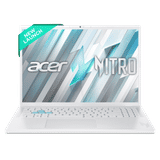 Acer Nitro Lite 16 | Core i7-13620H | RTX 3050 (6GB) | 16" 1920×1200 165Hz | 53 Wh | 1.95 kg | Cheapest, 16-inch | ₹77,490 |
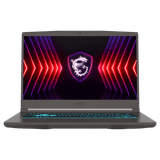 MSI Thin 15 i7 | Core i7-13620H | RTX 3050 (4GB) | 15.6" FHD 144Hz | 52.4 Wh | 1.86 kg | 2-yr onsite warranty | ₹90,490 |
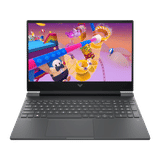 HP Victus 15 Ryzen 7 | Ryzen 7 7445HS | RTX 3050 (6GB) | 15.6" FHD 144Hz 300 nits | 52.5 Wh | 2.29 kg | Brightest screen | ₹97,990 |
All six have a 512GB SSD; five have 16GB RAM and the HP has 12GB. Specs from the Croma listings plus Acer, ASUS, HP and NVIDIA spec pages read on 22 Nov 2026. VRAM for the Acer Nitro V15 per Acer/NVIDIA (Croma lists 8GB).
How we picked
We pulled every laptop Croma tagged as a gaming laptop (247 listings when we checked) and kept those whose live selling price, not the strikethrough MRP, was ₹1,00,000 or less, with a dedicated NVIDIA RTX GPU and a high-refresh screen. Only a handful cleared that bar: most RTX 4050 and RTX 5050 machines at Croma now start well above ₹1 lakh. Where Croma had several near-identical variants, we kept the best-value one and dropped the rest.
We also left out one laptop that technically qualified, an Acer ALG 15 with an RTX 3050 4GB, because the Acer Nitro V15 with a faster RTX 4050 was priced about the same at our check, so there was no reason to recommend it. Every price on this page was read from the live Croma product page in this run, and the key specs were cross-checked against the brand’s own pages where available.
Buying guide: what matters in a gaming laptop under ₹1 lakh
GPU first: RTX 4050 vs RTX 3050
The graphics chip decides how games run more than anything else. In this budget you’ll mostly see the RTX 3050 (in 4GB and 6GB versions) and, if you’re lucky, the newer RTX 4050 with 6GB. The RTX 40 series supports DLSS 3 with Frame Generation, per NVIDIA, which can help a lot in supported games. Between two RTX 3050 laptops, prefer the 6GB version: newer games increasingly want more video memory, even at 1080p.
GPU power (TGP) matters too
The same GPU name can run at very different wattages in different laptops. Acer rates the Nitro V15’s RTX 4050 at up to 75W, and ASUS rates the TUF A15’s RTX 3050 at 60W (75W with Dynamic Boost). Not every brand publishes this, so look at the charger as a rough clue: a 170W or 180W adapter usually means more headroom than a 100W one.
Processor: H, HS and HX
All six use high-performance chips meant for gaming laptops: Intel’s H and HX parts and AMD’s HS. For gaming, the GPU limits you long before the CPU does at this level. More cores help if you also stream, edit videos or compile code.
RAM: 16GB, dual-channel, upgradable
Treat 16GB as the minimum for gaming in 2026. Check whether there’s a free slot: the Lenovo, ASUS, MSI and HP all have two slots. The HP ships with a single 12GB stick, so adding a second module is worth budgeting for.
Screen, battery and weight
Every pick has at least a 144Hz panel; the two Acers go to 165Hz. Most budget gaming screens are around 250–300 nits and 62.5% sRGB, fine indoors but dull in bright rooms. Gaming laptops are heavy and their batteries don’t last long while gaming, so expect to play plugged in. If you carry it daily, the MSI (1.86 kg) and Acer Nitro Lite (1.95 kg) are the easiest on your back.
Warranty
Gaming laptops run hot, so service matters. Only the MSI lists a 2-year onsite warranty; the rest list 1 year. Extended warranty plans are sold separately at checkout; read what they cover before adding one.
Which gaming laptop should you buy?
- Best overall: Acer Nitro V15 (RTX 4050): newest GPU here, 165Hz, 57 Wh.
- Long sessions: Lenovo LOQ 15IAX9: 6GB RTX 3050, HX CPU, 60 Wh battery.
- Under ₹80,000: ASUS TUF A15 (Ryzen 7 7445HS): RAM up to 64GB, second SSD slot.
- Cheapest + big screen: Acer Nitro Lite 16: 16-inch 165Hz, Core i7, 1.95 kg.
- Portability + warranty: MSI Thin 15: 1.86 kg, 2-year onsite.
- Brightest screen: HP Victus 15 (Ryzen 7): 300-nit 144Hz, fast charge.
Laptop prices change often during sales and bank-offer weeks, so open the store page to see today’s price before you decide. Gaming is only part of your plan? Compare everyday picks in our best laptops under ₹50,000 guide, and pick a bag from our best laptop backpacks under ₹1,500.
Frequently asked questions
Which is the best gaming laptop under ₹1 lakh in India right now?
On paper, the Acer Nitro V15 ANV15-52 with an RTX 4050 (6GB), Core 5 210H, 16GB DDR5 and a 165Hz screen. It was about ₹83,500 at Croma at our check, cheaper than several RTX 3050 laptops. It’s the only RTX 40-series laptop we found in stock under ₹1 lakh.
Is RTX 3050 good enough for gaming in 2026?
For 1080p esports titles and older or lighter games, yes. For new AAA games you’ll usually need lower settings. If you choose an RTX 3050 laptop, prefer the 6GB version (Lenovo LOQ, Acer Nitro Lite, HP Victus) over the 4GB one (ASUS TUF A15, MSI Thin 15).
Which gaming laptop under ₹1 lakh has the best battery?
The Lenovo LOQ 15IAX9 has the biggest battery we could confirm at 60 Wh, followed by the Acer Nitro V15 at 57 Wh. Any gaming laptop drains quickly while gaming, so plan to play plugged in.
Can I upgrade the RAM in these gaming laptops?
The Lenovo LOQ, ASUS TUF A15, MSI Thin 15 and HP Victus list two RAM slots. ASUS and MSI list up to 64GB. The HP ships with a single 12GB stick, so adding a second module is a sensible upgrade.
Is there a good gaming laptop under ₹80,000?
At our check, two picks were under ₹80,000 at Croma: the Acer Nitro Lite 16 (Core i7-13620H, RTX 3050 6GB) at about ₹77,500 and the ASUS TUF A15 (Ryzen 7 7445HS, RTX 3050 4GB) at about ₹80,000.
Which is the lightest gaming laptop on this list?
The MSI Thin 15 at 1.86 kg, followed by the Acer Nitro Lite 16 at 1.95 kg. The Lenovo LOQ is the heaviest at 2.38 kg.
Prices checked 23 Nov 2026, 9:58 am IST. We read each price on the store’s own product page and re-check them every day. Prices, bank offers and stock change quickly, so the store page at checkout is final. Where we couldn’t verify a price recently, we show “Check price” instead of a number. Specs, charts and score bars use the brand’s official figures or the store listing; photos are the official product images from the store.
How we earn
If you buy after using Buy Now, the store may pay GrabDeals a commission. You pay the same price. It never decides what we recommend or how we rank products. How we earn · How we pick products
Keep exploring
Shop laptops · Shop Croma · Coupons today · Compare credit cards · All buying guides